
From signed listing to photo-ready, in one link.
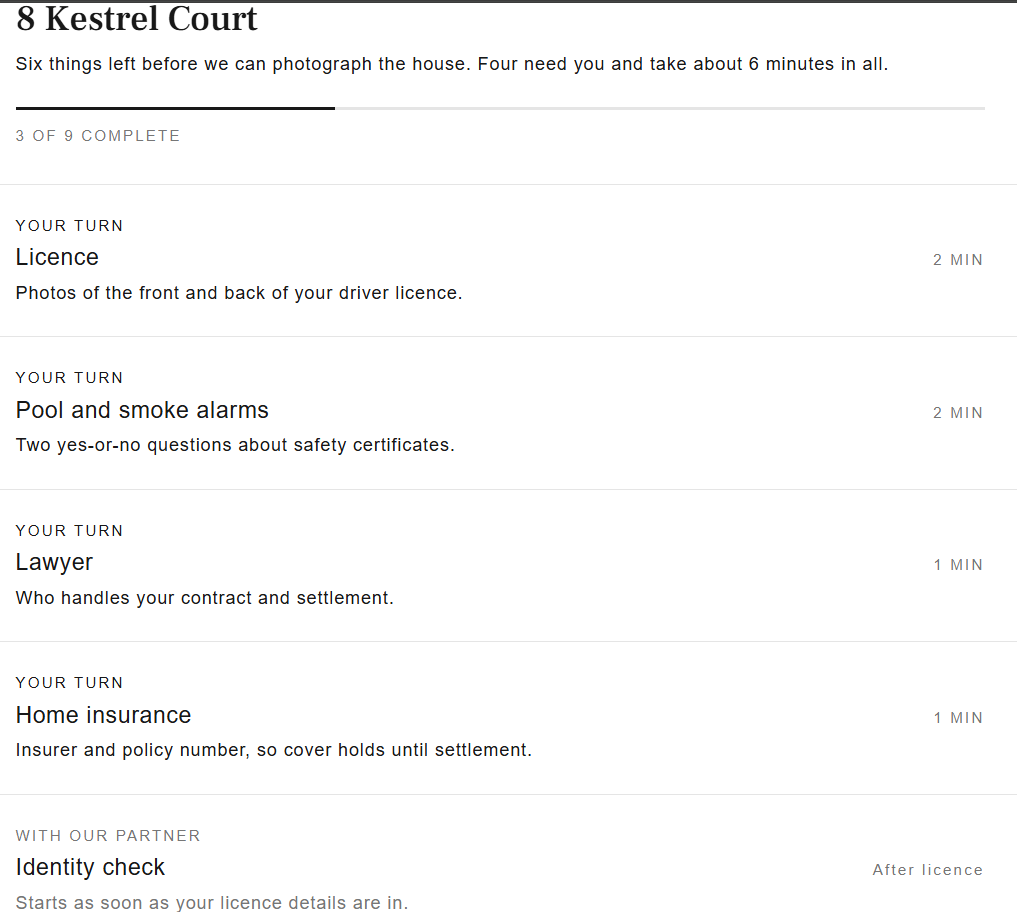
Bricksy helps agencies and their agents onboard sellers. The seller gets one link that collects what the Form 6 needs, runs the AML identity check, and sends out the pool, smoke alarm and conveyancing referrals. You track every step from one screen.
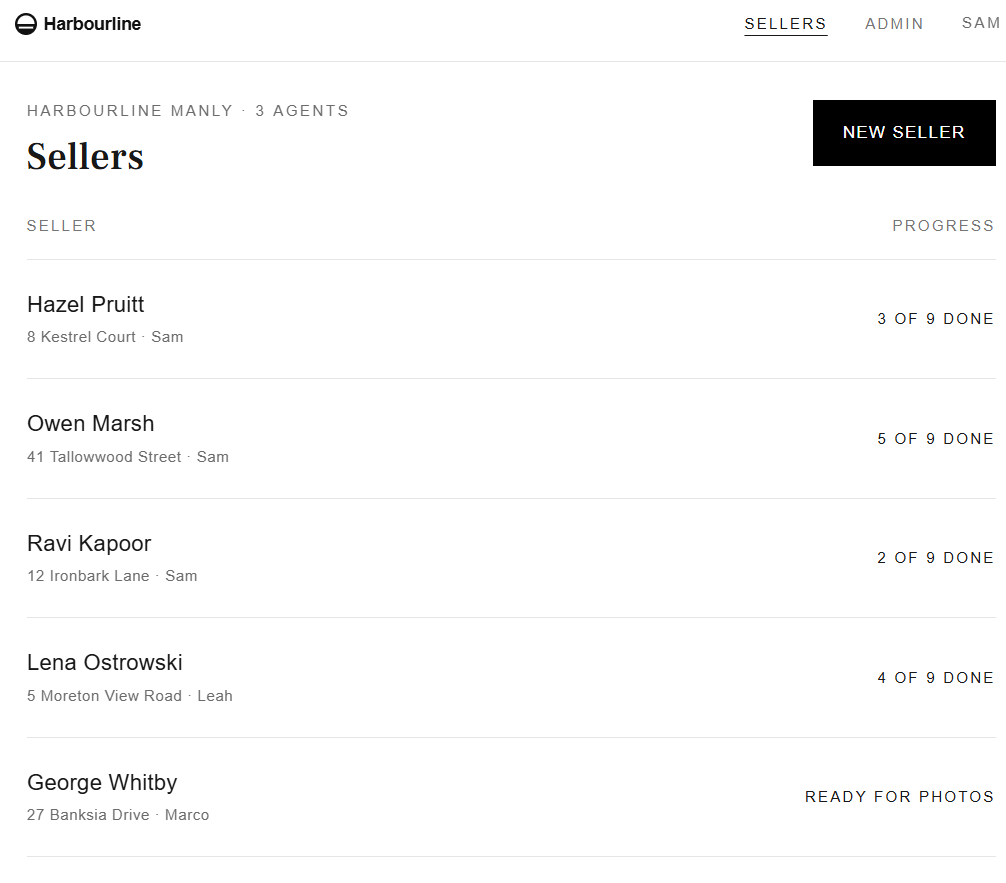
The paperwork before a listing, handled by the seller.
- 01
Onboard sellers
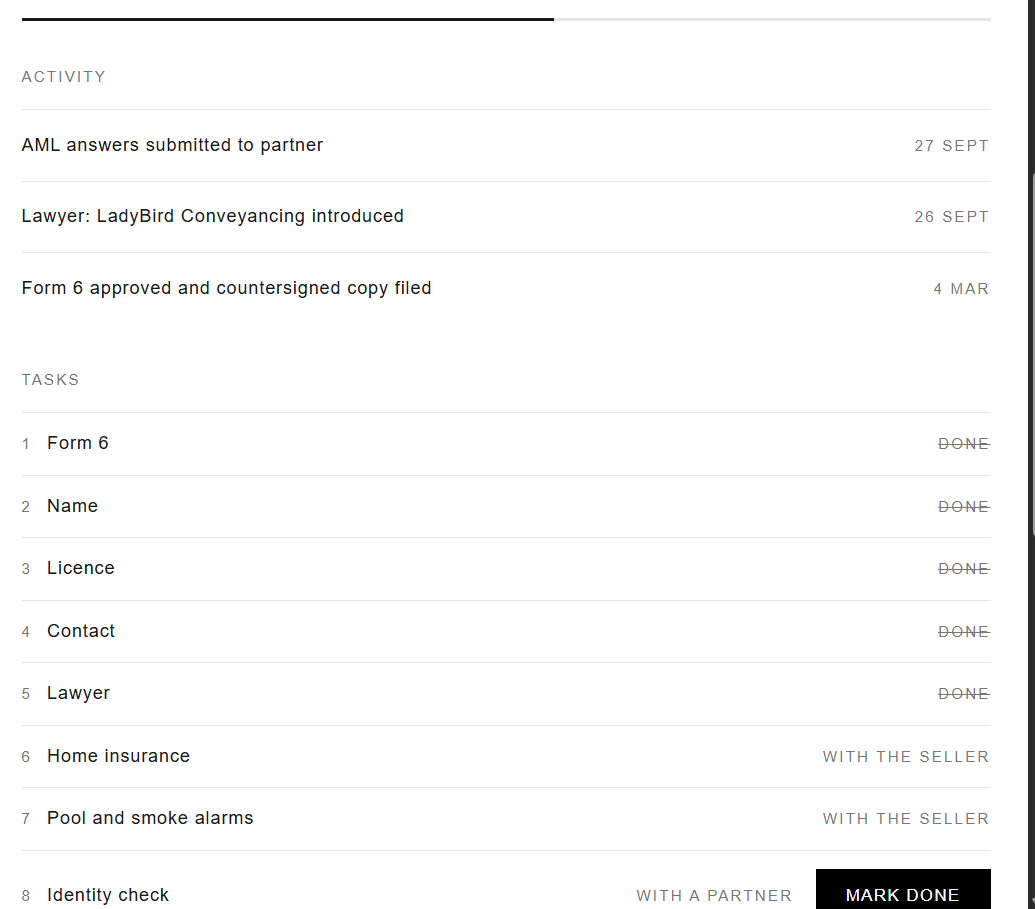
Create a seller, send the link. They see every task at once and work through them in any order, on their phone or computer.
- 02
AML identity checks
The seller photographs their licence and confirms their details. Bricksy captures what you need to carry out Anti-Money Laundering checks and records the result against the sale.
- 03
Form 6, ready to sign
Names, contact details and property information are collected from the seller and checked, so the Form 6 is prepared from what they entered rather than retyped.
- 04
Secure by default
Each seller's link is tied to them and confirmed with a code, so a forwarded email can't open it. ID documents and personal details are stored securely and visible only to their agency.
- 05
Referrals you choose, tracked
Set up your pool certifiers, smoke alarm contractors and conveyancers once. When a seller needs one, they're referred to yours, and you see where each certificate is up to.
- 06
Your agency, your brand
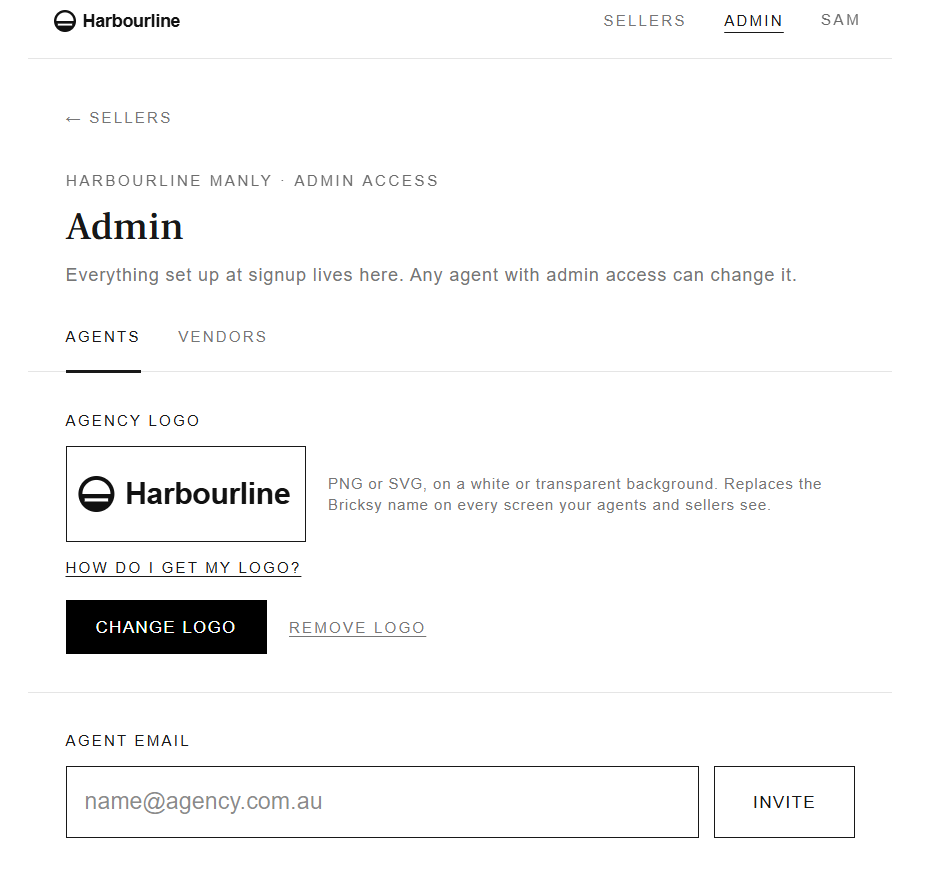
Upload your logo at signup and every screen your agents and sellers see carries it. Add the rest of the office and every agent works from the same setup.
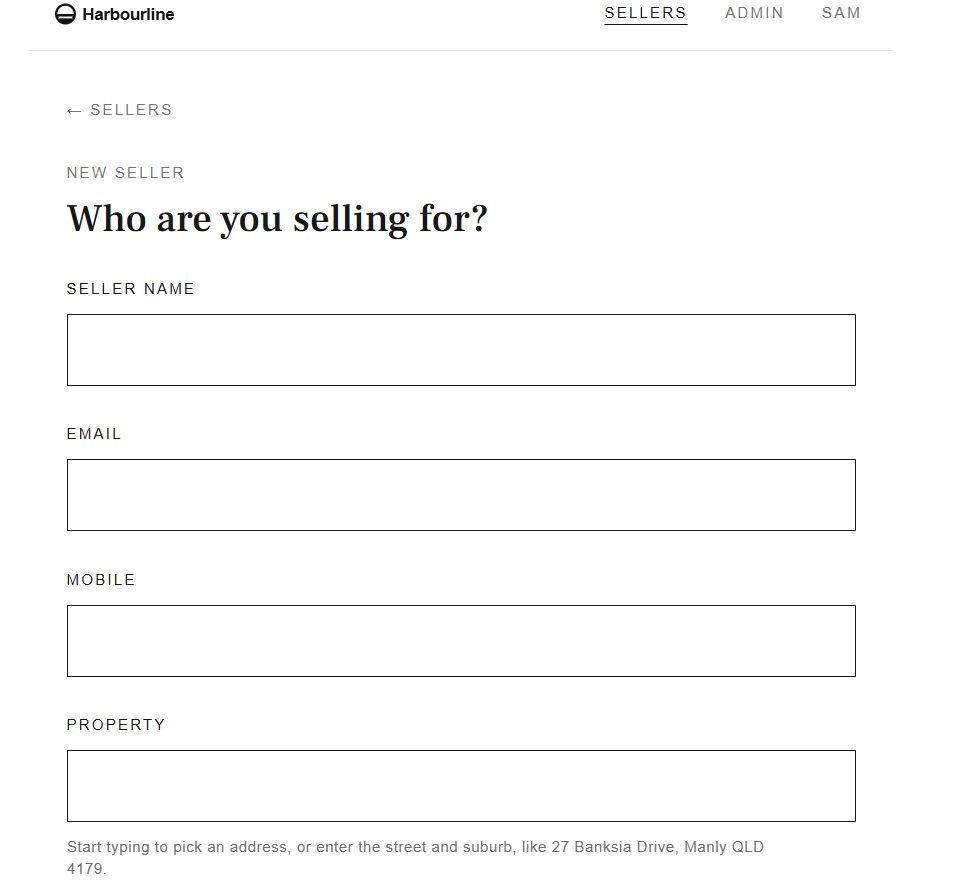
What your sellers and agents see.
Set up once. Then one link per seller.
- 1An admin signs the agency upAdd your logo, invite your agents and choose the vendors sellers are referred to.
- 2An agent creates a sellerName, contact and property. Bricksy emails and texts the seller their link.
- 3The seller works through their tasksForm 6 details, ID, lawyer, insurance, pool and smoke alarms. You watch progress until the property is ready for the photographer.